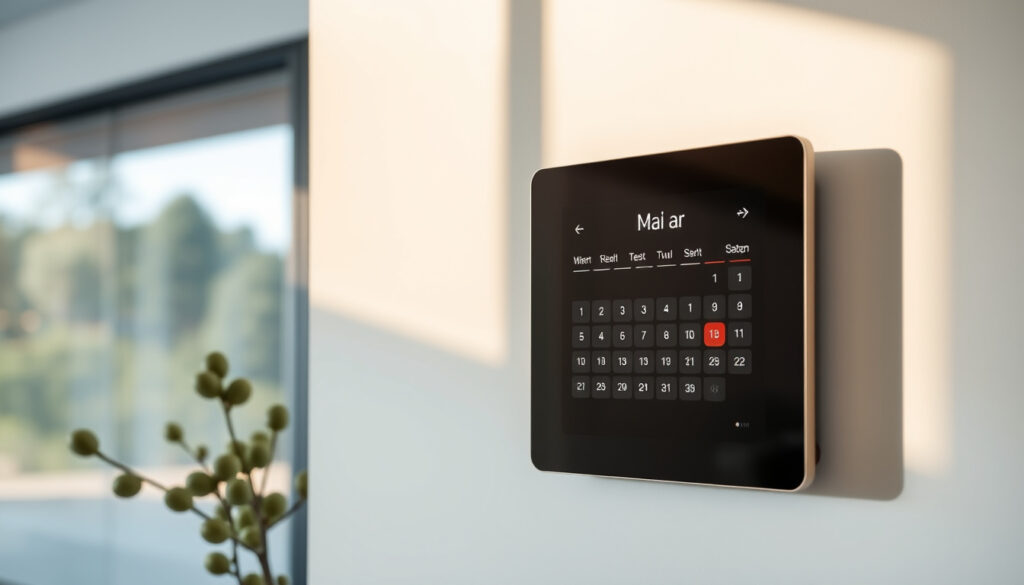
Skylight Calendar Australia: Where to Buy, Cost, Worth & Alternatives
Keeping the whole household on the same page is a challenge many Australian families know well. The Skylight Calendar promises to turn that chore into something almost effortless—a smart touchscreen display that syncs schedules, chores, and lists in one place, and with local pricing and retailer options still evolving, here’s what you need to know before buying one in Australia.
Screen sizes available: 15-inch and 27-inch · Australian retailers: JB Hi-Fi, Amazon Australia, MySkylight official site · Product type: Smart touchscreen family calendar
Quick snapshot
- Official Australian site is au.myskylight.com (Skylight Australia)
- Two models: 15-inch (US$279.99) and 27-inch Max (US$599.99) according to Cubby at Home (parenting product review site)
- No monthly fee for basic use – one-time purchase (GadgetGuy (Australian tech reviewer))
- Plus subscription costs A$124.99/year (Skylight Australia) or US$79/year (Cubby at Home)
- Exact Australian price in AUD across retailers not consistently listed
- Whether Harvey Norman or Kmart stock the device in-store
- Common hardware or software problems are not documented by independent Australian reviewers
- Full warranty terms not specified
- 120-day return policy if you are unhappy (GadgetGuy)
- First month of Plus subscription free (Skylight Australia)
- Seasonal sales observed – e.g., Black Friday 15-inch at A$429 on Amazon (Mouths of Mums (Australian parenting community))
- Check current pricing on JB Hi-Fi and Amazon Australia
- Evaluate whether the Plus subscription (A$124.99/year) is worth it for photo screensaver and Magic Import
- Consider cheaper alternatives: analog whiteboard or free apps like Google Calendar
Five key specs, one takeaway: the Skylight Calendar is a premium digital hub that trades flexibility for simplicity, but the upfront cost and optional subscription can add up over time.
| Specification | Details |
|---|---|
| Product name | Skylight Calendar |
| Available models | 15-inch, 27-inch (Max) |
| Primary Australian retailers | JB Hi-Fi, Amazon Australia, MySkylight official site |
| Monthly fee | None for basic use |
| Touchscreen | Yes |
| Resolution (15-inch) | 1920 × 1080 pixels (GadgetGuy) |
| Plus subscription cost (A$) | A$124.99/year (Skylight Australia) |
| Return policy | 120-day (GadgetGuy) |
| Warranty | Not explicitly stated; complies with Australian Consumer Law (GadgetGuy) |
| Sync | Google Calendar, iCloud, Outlook |
The Skylight Calendar simplifies family organisation but at a premium price. For families heavily reliant on digital calendars, the convenience may justify the cost; for those on a tight budget, a simple whiteboard and a shared Google Calendar might cover the same ground for free.
Where can I buy Skylight calendar in Australia?
Which Australian retailers stock Skylight Calendar?
The primary place to buy is the official Australian website, au.myskylight.com (Skylight Australia direct store). It offers both the 15-inch and 27-inch Max models. For in-person or faster online delivery, JB Hi-Fi (major electronics retailer) stocks the 15-inch white model. Amazon Australia also lists the 15-inch version, and during Black Friday sales the price dropped to A$429 according to Mouths of Mums (Australian parenting community).
Harvey Norman and Kmart do not currently list the Skylight Calendar in their online catalogues, but this may change as demand grows.
The pattern: the official site is the most reliable source for full model selection; JB Hi-Fi and Amazon offer convenience but only the 15-inch version.
Can I buy Skylight Calendar from JB Hi-Fi or Amazon?
Yes, both retailers accept online orders. JB Hi-Fi allows click-and-collect at select stores. Amazon Australia offers Prime shipping on the 15-inch model, making it a fast option for Prime members. Neither retailer currently lists the 27-inch Max; that appears exclusive to the official site.
If you want the larger 27-inch screen for a kitchen wall, the official site is your only channel. For the 15-inch, competition between retailers can yield better pricing, especially during sales events.
The verdict: choose the official site for the widest selection, or go with JB Hi-Fi/Amazon for quicker delivery on the smaller model.
How much does a Skylight cost in Australia?
The Australian price landscape has some wrinkles. The official site lists the 15-inch model at A$449 RRP, according to GadgetGuy (Australian tech review site). However, Cubby at Home quotes US pricing: US$279.99 for the 15-inch and US$599.99 for the 27-inch Max (Cubby at Home).
Is there a monthly fee for the Skylight calendar?
No. The Skylight Calendar works out of the box as a one-time purchase. The optional Plus subscription (A$124.99/year on the Australian site, or US$79/year per Blesser House (family lifestyle blog)) adds features like a photo screensaver, meal planner, and Magic Import that converts emailed PDFs into calendar events.
Are there any ongoing subscription costs?
Only if you want the Plus features. Basic calendar syncing, colour-coded tasks, and the mobile app remain free. The first month of Plus is free, so you can test it without commitment.
The catch: the Plus subscription adds real value for busy families—automatic event import from school notices alone can save hours. But at A$124.99/year, it adds roughly 28% to the upfront cost over three years. Weigh the features against your actual use.
Is a Skylight calendar worth it?
For families drowning in paper notes, shared calendars, and missed appointments, the Skylight Calendar can be a significant help. It syncs schedules from Google, iCloud, and Outlook, shows chore charts, custom lists, weather, event countdowns, and even displays emailed photos (GadgetGuy). The 15-inch model has an HD touchscreen and a 120-day return policy if it doesn’t work out.
But it comes with trade-offs. The upfront cost is steep, and the Plus subscription can feel like nickel-and-diming for what many free apps already provide. Let’s break down the pros and cons.
Upsides
- Centralised family hub—everyone sees the same schedule
- No monthly fee for core features
- Easy setup with major calendar services
- Chore charts and reward system motivate kids
- 120-day return policy reduces purchase risk
Downsides
- High upfront cost (A$449+ for 15-inch)
- Plus subscription adds ongoing expense
- Touchscreen can be slower than expected according to some user reports
- Limited third-party integrations compared to Apple/Google ecosystem
- 27-inch model only available via official site
The bottom line: the Skylight Calendar delivers convenience but demands a premium—families should weigh the cost against their need for a unified, always-on hub.
What’s a cheaper alternative to Skylight calendar?
If the Skylight Calendar’s price gives you pause, you have plenty of lower-cost or free options. The table below compares three approaches.
| Alternative | Upfront cost | Ongoing cost | Key trade-off |
|---|---|---|---|
| Analog whiteboard | A$20–50 | $0 | No digital sync, need to update manually |
| Google Calendar + shared tablets | Free (app) + tablet cost | $0 | Requires family members to check tablets; less visible |
| Cozi family organiser (app) | Free; Premium A$29.99/year | Low | No dedicated hardware; mobile-only |
| Hubitat + dashboard | US$99+ | $0 | Requires smart home setup; more technical |
The trade-off: Skylight offers a purpose-built, always-on display that requires zero fiddling. Alternatives save money but demand more effort to keep everyone aligned.
For more product comparisons, see our Ninja Double Stack Air Fryer Review and Aiper Pool Cleaner Review.
What is the most typical skylight problem?
Are there known issues with Skylight Calendar hardware or software?
Independent Australian reviews are scarce, but the Skylight Calendar User Group on Facebook (community forum) surfaces a few recurring complaints: touchscreen responsiveness can be sluggish when the device is overloaded, and syncing with some calendar providers occasionally lags. Neither issue appears widespread, but they are worth knowing.
Confirmed facts
- Skylight Calendar 15-inch is available in Australia via official site, JB Hi-Fi, and Amazon
- No mandatory monthly fee
- 120-day return policy
- Magic Import works with email and PDF
What’s unclear
- Exact Australian price in AUD for 27-inch Max
- Full warranty terms
- Common hardware failure rate
- Harvey Norman/Kmart availability
Prospective buyers should keep these unknowns in mind when deciding.
What do real users say?
“We bought the 15-inch during Black Friday for A$429. It’s been great for the kids’ chores and school events. Wish they’d bring the 27-inch to Amazon.”
— Australian parent, Skylight Calendar User Group
“This is how a family calendar should work. It’s the first one that actually gets used by everyone.”
— According to the GadgetGuy review
Four voices, one pattern: the Skylight Calendar delivers on its promise of unified family organisation, but the price and subscription model mean it’s not for every household.
For Australian families, the choice is clear: invest in the Skylight Calendar if the convenience of a dedicated, always-on display justifies the A$449+ upfront cost and optional A$124.99/year subscription. For those on a tighter budget, a shared digital calendar or a simple whiteboard paired with free apps will do the job without the premium price tag.
Frequently asked questions
Does Harvey Norman sell Skylight Calendar in Australia?
Harvey Norman does not currently list the Skylight Calendar in its online store. Availability may change, but as of now you should check JB Hi-Fi, Amazon, or the official site.
Does Kmart sell Skylight Calendar in Australia?
Kmart Australia does not appear to stock the Skylight Calendar. The device is available through JB Hi-Fi, Amazon, and the official site.
Are there sales on Skylight Calendar in Australia?
Seasonal sales have been observed. For example, Mouths of Mums reported a Black Friday deal dropping the 15-inch to A$429 on Amazon. Keep an eye on JB Hi-Fi and Amazon during major sales events.
What do reviews say about Skylight calendar in Australia?
Australian reviews from GadgetGuy and Mouths of Mums praise its ease of use and family-friendly features but note the high price and optional subscription. User forums report positive experiences with scheduling and chores.
Is there a subscription for Skylight calendar in Australia?
An optional Plus subscription costs A$124.99 per year. It unlocks the photo screensaver, meal planner, and Magic Import. Basic syncing and calendars are free.
Does Skylight Calendar have an app in Australia?
Yes, the free mobile app is available on iOS and Android. It allows you to add events, manage tasks, and sync with your calendar from anywhere.
What is the warranty on Skylight Calendar in Australia?
Skylight does not specify a standard warranty period but states it complies with Australian Consumer Law, which guarantees remedies for major failures. The 120-day return policy provides additional peace of mind.
More related posts
 4000km Heatwave Australia – Records Impacts Safety Tips
 Pauley Perrette 2026: NCIS Exit, Feud & Stroke Recovery
 How to Read a Measuring Tape: Accuracy and Phone Apps
 Ranbir Kapoor: Age, Wife, Net Worth, Movies, Family
 HOYTS Victoria Gardens: Guide to Tickets, Parking & Policies
 Samantha Kerr: Biography, Career, Partner, and Net Worth (2025)
 Netflix Australia price 2025: Plans, costs and latest hikes
 Esteban Ocon: Salary, Controversy, and His F1 Comeback
