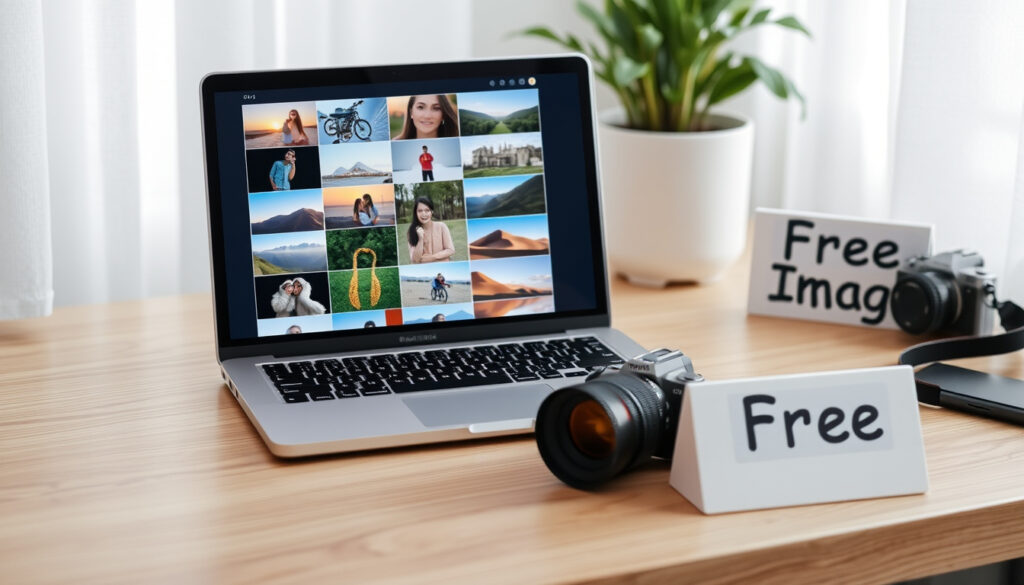
Royalty Free Images: What They Are & Where to Find Them
You’ve landed on yet another stock photo site, but are those images actually safe to use? The line between “free” and “legally usable” trips up designers, bloggers, and business owners every day, so this guide breaks down what royalty-free images really are, where to find them, and how to use them without getting into legal trouble.
Total royalty-free images on Pixabay: 6.1 million+ ·
Unsplash offers: 2 million+ free images ·
Pexels hosts: 5 million+ free photos and videos ·
Percentage of royalty-free images requiring no attribution: Approximately 90% on major free sites ·
New weekly images added to Unsplash: 100,000+
Quick snapshot
- One-time payment or free use (iStock Licensing Guide)
- No ongoing royalties (iStock Licensing Guide)
- Still subject to copyright (iStock Licensing Guide)
- Usage restrictions may apply (iStock Licensing Guide)
- Pexels, Unsplash, Pixabay (GraphicMama)
- Google Images license filter (GraphicMama)
- Creative Commons repositories (GraphicMama)
- Government/public domain sites (GraphicMama)
- Check license before use (iStock Licensing Guide)
- Respect attribution requirements (Unsplash License)
- Do not resell unmodified images (iStock Licensing Guide)
- Limit use to allowed purposes (iStock Licensing Guide)
- Find license link on the download page (Unsplash License)
- Use reverse image search (Unsplash License)
- Look for Creative Commons mark (Unsplash License)
- Read the full legal text if necessary (Unsplash License)
The following table summarizes key information about royalty-free image platforms.
| Label | Value |
|---|---|
| Definition | Images licensed for use without paying royalties per use, but may have restrictions. |
| Key Websites | Pexels, Unsplash, Pixabay (free); Shutterstock, Adobe Stock (paid) |
| Attribution Required? | Often no, but check individual license. Some platforms (e.g., Freepik) require it. |
| Commercial Use | Allowed on most free sites, but cannot be the primary product being sold. |
What Are Royalty-Free Images?
Royalty-free (RF) images are licensed for use without paying royalties each time they’re used. As the iStock Licensing Guide explains, royalty-free does not mean free of copyright; it means you pay once and use without future fees. That one‑time cost — or free download on many sites — covers a set of permitted uses, but restrictions often apply.
Definition and key characteristics
- You buy a license once and reuse the image across projects (within limits).
- The photographer retains copyright — you never own the image itself.
- Free platforms like Unsplash’s license grant a nonexclusive copyright license to download, copy, modify, distribute, perform, and use photos free of charge for both commercial and noncommercial purposes.
How royalty-free differs from rights-managed
- Rights-managed (RM) restricts each use to a specific time, region, and medium — you pay per use and need new clearance each time.
- Royalty-free lets you use the same image repeatedly after one payment (or free download), which is why it dominates stock photography today.
- Some commercial activities — like pornographic, obscene, or libelous content — are prohibited even under royalty-free licensing (per iStock Licensing Guide).
Common misconceptions about royalty-free
- Myth: Royalty-free equals public domain. Reality: RF still has copyright — you’re just pre‑cleared for certain uses.
- Myth: All royalty-free images are free. Reality: Paid sites like Shutterstock and Adobe Stock use RF licensing but charge per download.
- Myth: No attribution is ever required. Reality: Some free platforms (e.g., Freepik’s free license) require credit, as noted by GraphicMama’s roundup.
A designer on a deadline who assumes “royalty-free = no restrictions” risks license violation. The paradox: the more you understand the fine print, the freer you actually are to use the image broadly.
Where Can I Find Royalty-Free Images for Free?
Three major free platforms dominate the space: Pixabay, Unsplash, and Pexels. Each offers millions of images under licenses that are genuinely free for most commercial uses — but there are important differences in library size, license language, and ease of search.
Top free stock photography websites
- Unsplash: 2 million+ images. The Unsplash License allows commercial and noncommercial use without permission or attribution. No exclusivity — others can use the same image.
- Pixabay: Over 6.1 million royalty-free images (GraphicMama), plus illustrations, vectors, and videos. All free for commercial use with no attribution required.
- Pexels: 5 million+ free photos and videos under a Creative Commons Zero (CC0) model, as reported by GraphicMama. No attribution needed for most images.
Niche sources and alternatives
- Canva’s free stock: Canva’s free stock photos page offers royalty-free photos directly within its design tool, usable for personal and commercial projects.
- Negative Space: All images fall under CC0 — free downloads, commercial use, no attribution (Tapstitch).
- Public Domain Pictures: Over 400,000 images from public-domain archives (Tapstitch).
Using Google Images with usage rights filter
After a search, click Tools → Usage Rights and select a filter (e.g., “Creative Commons licenses” or “Commercial & other licenses”). This narrows results to images tagged with a license. However, the iStock Licensing Guide advises confirming the license on the source website — Google’s filter is not always accurate.
Sole traders with no legal budget face the highest risk: a single DMCA takedown can take down a website. These three platforms give the broadest protection because their licenses are explicitly designed for commercial reuse.
How to Find a Royalty-Free Image
Searching effectively saves hours. Each major platform uses different categorization and metadata, so knowing the quirks matters.
Step 1 — Pick your platform and keyword strategy
- Unsplash: Uses curated collections and semantic tags. Broad keywords (“office,” “nature”) work well.
- Pexels: Strong category browsing plus a “Popular” filter. Good for trendy or lifestyle imagery.
- Pixabay: Largest library; refine by orientation, size, color, and category. The “Editor’s Choice” filter surfaces high-quality picks.
Step 2 — Apply license filters
- On Pixabay, all images are free for commercial use with no attribution — no filter needed.
- On Unsplash, the entire library is covered by the same license.
- On Pexels, the “Free to use” filter excludes any third‑party images that may have different terms.
Step 3 — Verify before downloading
Always read the license link on the specific image page. The iStock Licensing Guide stresses that the safest approach is to have a signed release for any recognizable people, places, or property — even if the platform’s blanket license seems comprehensive.
Are You Allowed to Use Royalty-Free Images?
The short answer: yes, within the boundaries of the specific license. The long answer requires parsing what “allowed” and “commercial” actually mean in practice.
What you can do
- Use in websites, social media, presentations, and most print materials — Unsplash License explicitly permits this.
- Modify and adapt the image (crop, filter, composite) — most free RF licenses allow derivatives.
- Use in commercial products like brochures, ads, and app designs — as long as the image is not the primary product being sold.
What you cannot do
- Sell the image unmodified (e.g., as a print‑on‑demand item or stock photo).
- Use it in pornographic, hateful, or defamatory contexts — prohibited by iStock’s terms and many free platforms.
- Represent the image as your own original work.
- Use without attribution if the license requires it (e.g., some Creative Commons licenses).
What happens if you violate the license
License holders can demand takedown of your content, sue for copyright infringement, or seek statutory damages — which in the U.S. can range from $750 to $30,000 per work (iStock Licensing Guide).
A small business owner who downloads from a site claiming “free commercial use” without reading the license page takes on real liability. The paradox: the free platforms with the clearest licenses (Unsplash, Pixabay) are often the safest — more than some paid RF sites with complex terms.
How to Avoid Copyright Issues When Using Images
Mistakes happen fast in a deadline‑driven workflow. A systematic check routine reduces risk to near zero.
- Check the license before you download
- Look for a “License” or “Terms” link on the image page.
- If the license isn’t visible, do not download. Use a known platform instead.
- For Unsplash, the license is fixed: all images carry the same terms.
- For Pixabay and Pexels, all content is CC0-equivalent — but double‑check occasional third‑party uploads (GraphicMama).
- Use reverse image search
Upload the image or paste its URL into Google Images or TinEye. The search will reveal the original source, any identical copies, and associated license information. This catches stolen or misattributed images.
- Verify public domain status
Images from U.S. government sites (
.gov), like NASA or Library of Congress, are generally public domain — no copyright at all. As Tapstitch notes, sites like Public Domain Pictures curate verified public-domain content. - Keep a provenance record
For every image: save the download URL, a screenshot of the license page, and the date. This creates an audit trail if a copyright claim arises later.
The most common trap: a designer grabs an image from a blog’s “free stock photo” list, but the source site itself doesn’t own the rights. Reverse‑image search is the single cheapest insurance policy against infringement.
What we know
- Royalty-free images are not free of copyright; they are licensed for use without per-use fees (iStock Licensing Guide).
- Major free platforms like Pixabay and Unsplash require no attribution for most images (Unsplash License).
- Violating a license can lead to legal action from the copyright holder (iStock).
Points to verify
- Whether an image is truly royalty-free may depend on the specific license version — some older CC licenses have different terms.
- The boundaries between commercial and editorial use are not always clear for all images, especially on aggregator sites.
- Whether free platforms like Pixabay have no attribution requirement for all images in every jurisdiction remains untested in some legal systems.
All images published on Unsplash can be used for free for commercial and noncommercial purposes, without asking permission or providing attribution in most cases.
Unsplash License
Whether royalty-free images can be used commercially depends on the terms of the specific download license. Some commercial activities are prohibited even under royalty-free licensing.
iStock Royalty Free Images for Commercial Use Guide
The trade‑off is clear: royalty-free images give creators enormous flexibility at low (or zero) cost, but the legal fine print matters. For the individual entrepreneur or small team, sticking with the top free platforms — Unsplash, Pixabay, Pexels — and verifying each image’s license creates a safe workflow. The one who ignores the license page faces the higher risk: a cease‑and‑desist or a DMCA takedown at scale.
While royalty-free images are a staple for designers, those working on video projects might also need royalty free music that carries a similar licensing model.
Frequently asked questions
Do I need to credit the photographer when using royalty-free images?
On most major free platforms (Unsplash, Pixabay, Pexels), attribution is optional but appreciated. Some platforms — like Freepik’s free license — require credit. Always check the specific image’s license page.
Can I use royalty-free images in a logo or trademark?
Generally no — logos and trademarks are not considered a typical permitted use. Most licenses, including Unsplash’s, do not grant the right to use an image as a trademark or logo because that would create trademark rights in the image itself.
What is the difference between royalty-free and Creative Commons?
Royalty-free is a licensing model (pay once, use without per-use fees). Creative Commons (CC) is a set of standardized licenses, many of which are royalty-free. CC0 (CC Zero) is the most permissive — equivalent to public domain dedication. CC BY requires attribution.
Are all images on Pexels truly royalty-free?
Yes — all images on Pexels are licensed under the Pexels License, which is functionally equivalent to CC0: free for commercial and personal use, no attribution required. Some third‑party contributions may have different terms, so check the license link on each image page.
Can I sell products containing royalty-free images?
Yes, as long as the image is not the primary product being sold. You can use the image in a T‑shirt design, in a book, or on packaging — but not sell the image itself as a standalone stock photo or print.
How do I know if an image is in the public domain?
Check for a CC0 license, a marked “Public Domain” badge, or source the image from a U.S. government website (.gov). Use reverse image search to confirm the original source and any associated rights statements.
What should I do if I accidentally use an image without a proper license?
Remove the image from your website or project immediately. Contact the copyright holder, explain the situation, and request a retroactive license or permission. Document your removal and any correspondence. In serious cases, consult a lawyer — damages can be statutory.
For anyone building a website or designing marketing materials, the choice is straightforward: use a known platform with a transparent license, keep a provenance record, and respect attribution when requested. Or risk a takedown that costs more in lost traffic and legal fees than any stock photo subscription.
More related posts
 Clint Eastwood in 2026: Age, Health, Movies, and Political Views
 Hailey Rose: Biography, Age, Nationality, and Career
 Priscilla Presley: Biography, Age, Net Worth and Elvis
 Benson Boone: Biography, Songs, and American Idol Journey
 How to Disable Cookies in Browser: Step-by-Step Guide
 Optus Coverage Map: 4G/5G vs Telstra & Vodafone
 Burt Reynolds Cause of Death, Illness, and Final Days
 Magento Service Companies by AelfTech: Verified vs Unverified
